TapTrack User Reference
Reporting
The reporting module provides an overview of today’s bookings.
Report by Type and Status
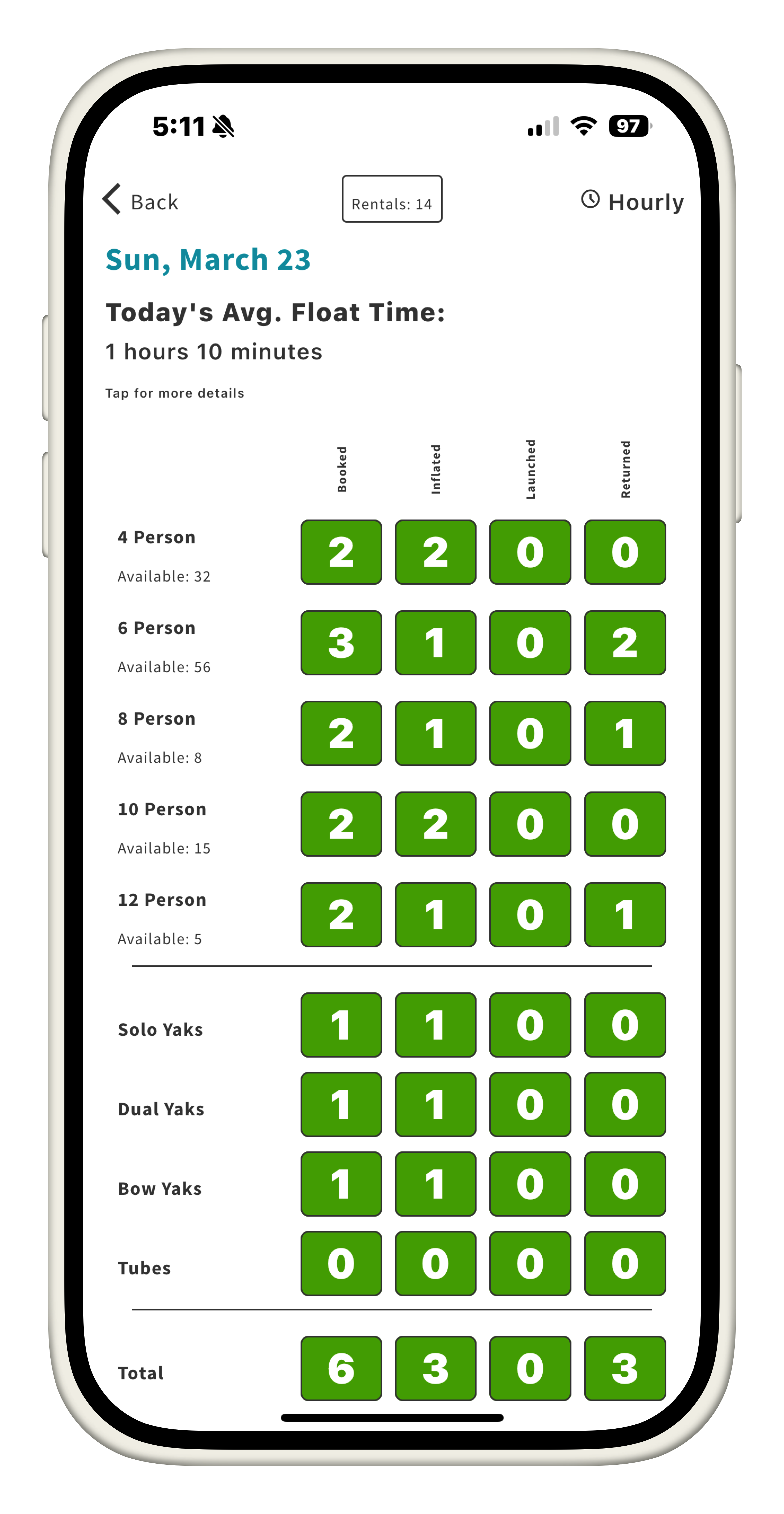
This is the base page for the reporting module. It provides the following information:
- Today’s average float time
- Yesterday’s average float time
-
Percentage difference between today’s and yesterday’s average float times
- Rental status by type
- Availability by type:
- Total
RaftMapby type minus those under repair
- Total
- Total bookings for the day
-
Total rentals for the day
- Filtered bookings based on user selection
Report by Hour
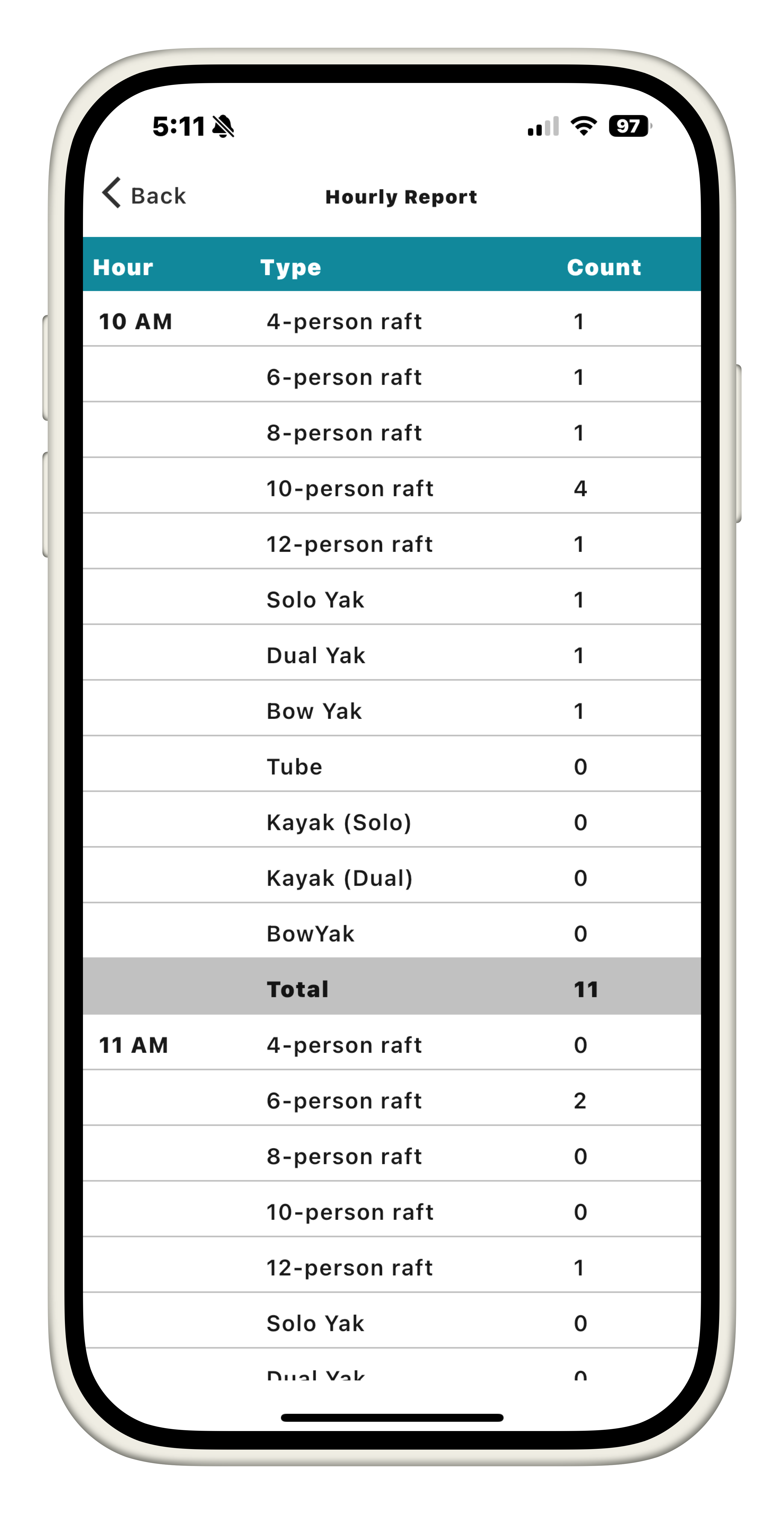
This page shows the count of each type and the total per hour.
- Filtered bookings based on user selection
Finding Records
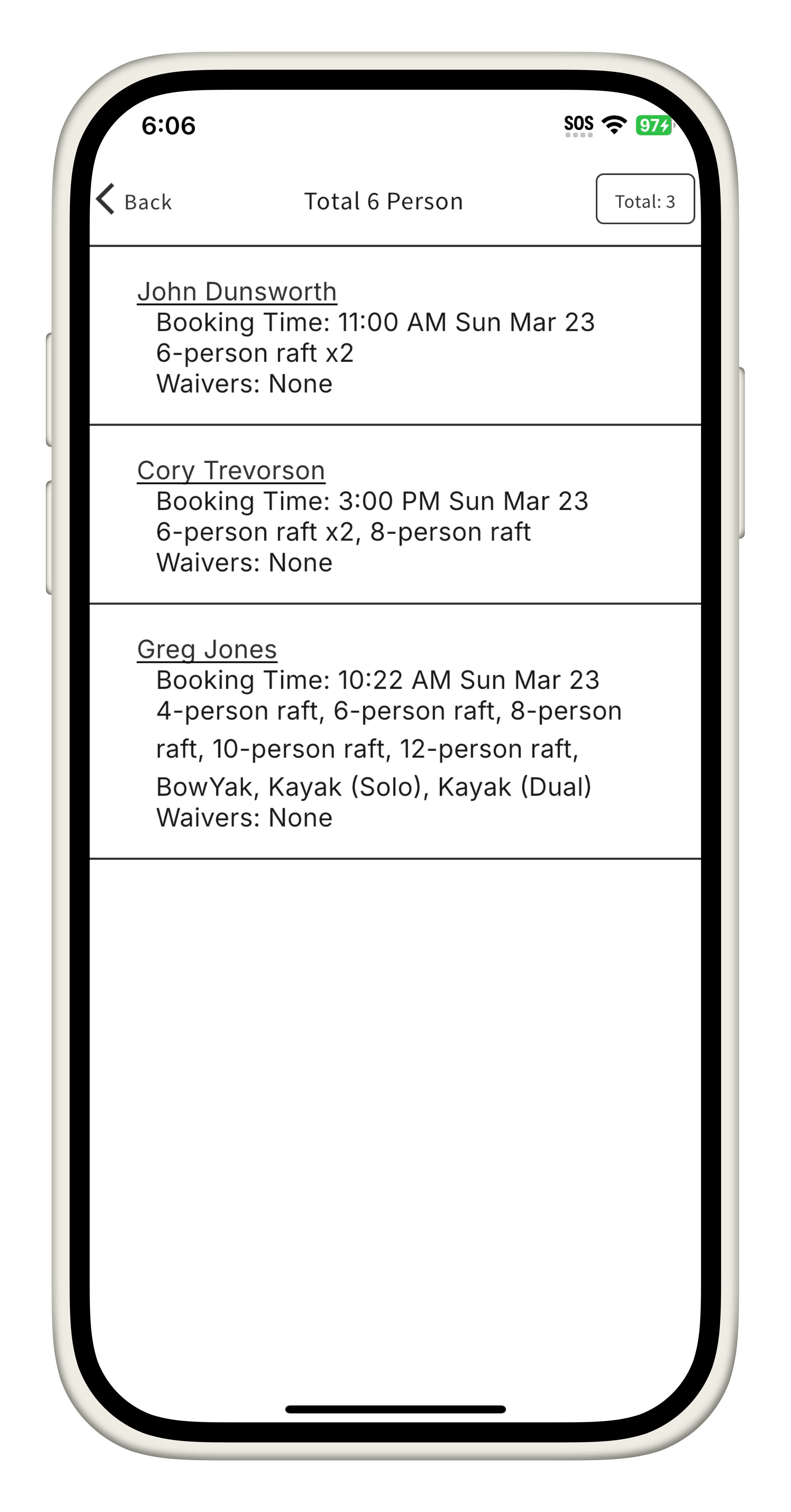
Within the reporting module, the user can select any chip in the first report (or any row in the second hourly report page) to display a list of the selected bookings.
Managing Records
Within the report selection, booking records can be viewed and managed like normal, and can even check rafts in/out as if in its respective mode. This behaviour is automated based on the status of the booking.
Report History
The report history function consists of two seperate pages. The inital page allows a user with the reports.history.view permission to select between two seperate datetime based filters.
- Week
- Displays report history for the past week
- Month
- Displays report history for the calandar month
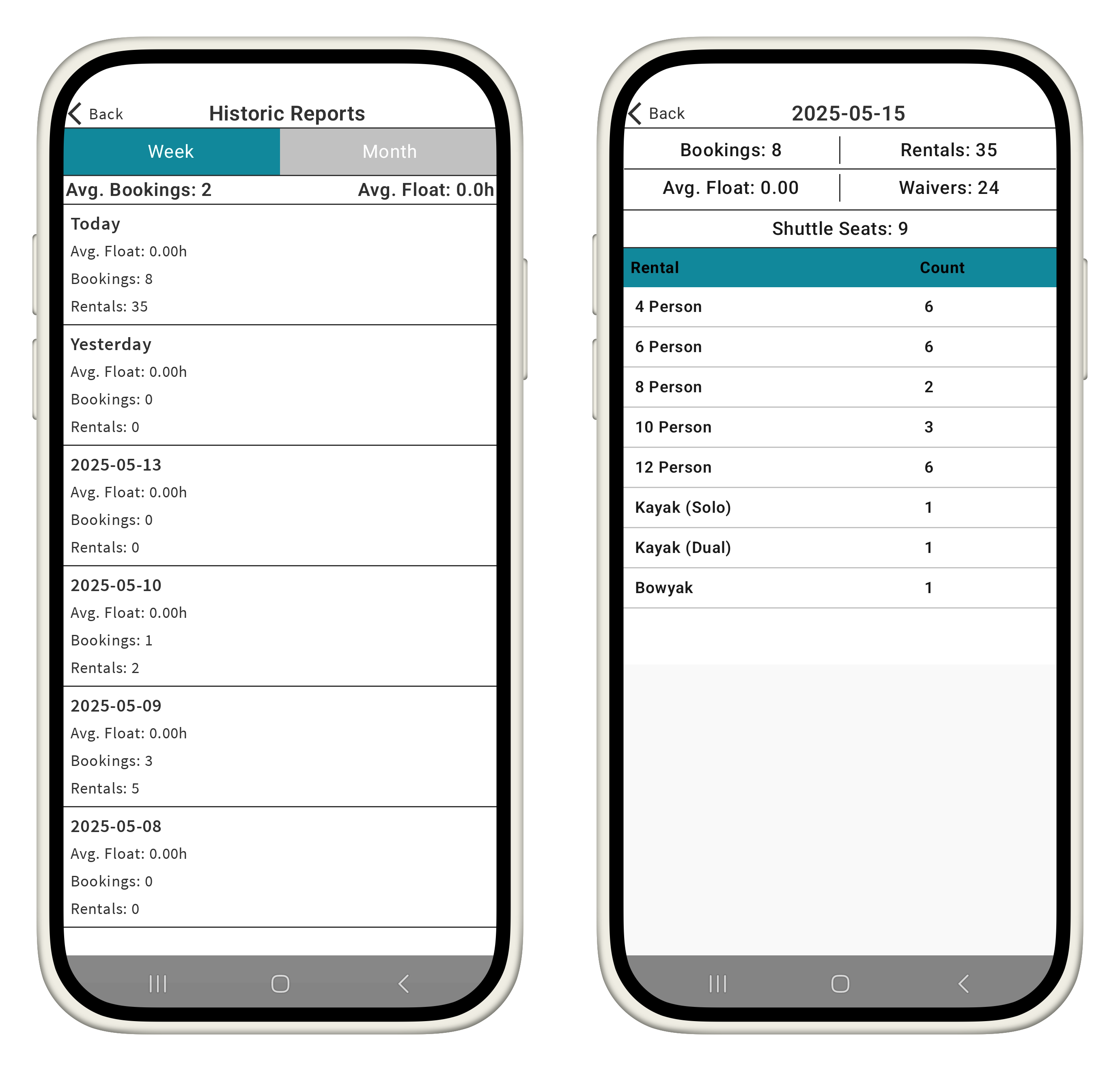
Averages are based on selected views